
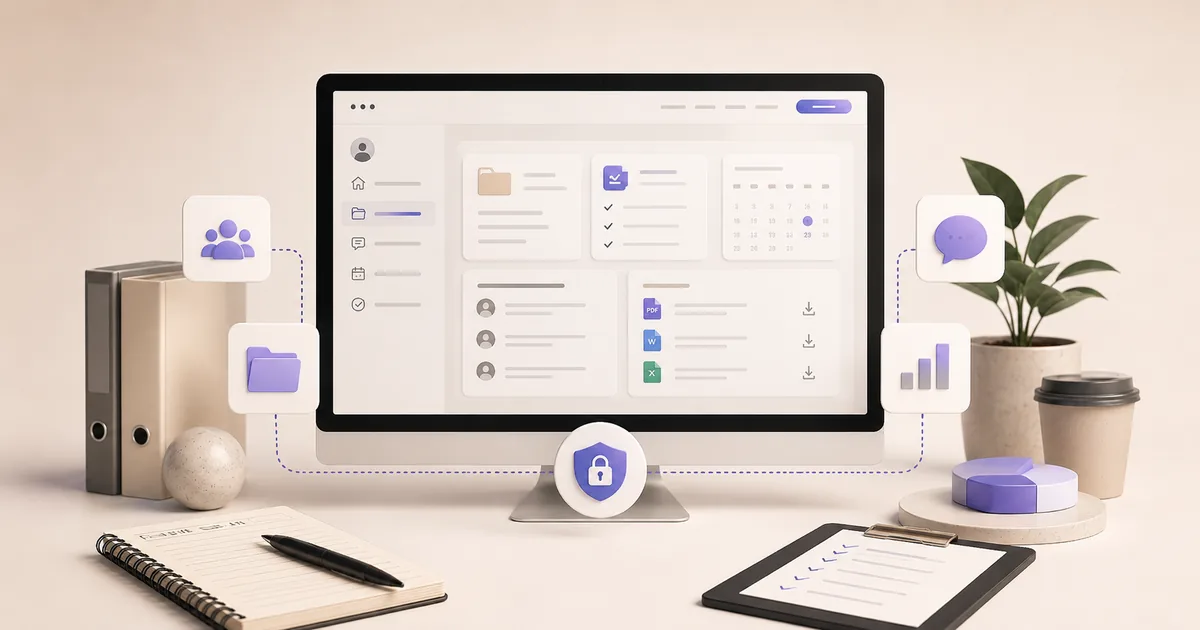
A client or company portal is useful when documents, requests, status updates and actions are scattered across email, SharePoint, spreadsheets and several tools. The portal does not have to replace those systems. It can become the coherent user layer that connects existing sources and exposes only the journeys each audience needs.
Less searching, forwarding and fragmented communication.
Microsoft 365, CRM and ERP can remain systems of record.
The portal makes frequent actions materially easier.
Fast-value use cases
Documents, tickets, leave, time tracking, calendars, tasks, invoices and knowledge bases are common modules.
What this changes in practice
In practice, this step should connect to Journeys and Identity. Select the three most frequent user actions for the MVP. Define employees, clients, partners and administrators. This turns a preference into a testable project decision.
Bring Permissions into the same review. Model access at the data level, not only in the interface. For an SME, this reduces late rework, makes supplier scope easier to compare and connects the project to a commercial or operational outcome.
External and internal portals
Clients need transparency; staff need coordination. Roles determine the experience.
What this changes in practice
In practice, this step should connect to Identity and Permissions. Define employees, clients, partners and administrators. Model access at the data level, not only in the interface. This turns a preference into a testable project decision.
Bring Sources into the same review. Identify SharePoint, CRM, ERP, HR and document repositories. For an SME, this reduces late rework, makes supplier scope easier to compare and connects the project to a commercial or operational outcome.
| Dimension | Question to ask | Good signal |
|---|---|---|
| Journeys | Select the three most frequent user actions for the MVP. | The portal is simpler than the current path. |
| Identity | Define employees, clients, partners and administrators. | Account lifecycle and ownership are clear. |
| Permissions | Model access at the data level, not only in the interface. | Users cannot see data from other organisations. |
| Sources | Identify SharePoint, CRM, ERP, HR and document repositories. | Every dataset has a system of record. |
| Modules | Prioritise requests, documents, tasks, calendar and knowledge by usage. | Every module supports a real journey. |
| Adoption | Measure active users, completion and support reduction. | An owner improves the portal after launch. |
Integrations
Microsoft 365, CRM, ERP and sector systems often remain systems of record.
What this changes in practice
In practice, this step should connect to Permissions and Sources. Model access at the data level, not only in the interface. Identify SharePoint, CRM, ERP, HR and document repositories. This turns a preference into a testable project decision.
Bring Modules into the same review. Prioritise requests, documents, tasks, calendar and knowledge by usage. For an SME, this reduces late rework, makes supplier scope easier to compare and connects the project to a commercial or operational outcome.
Security
Plan permissions, MFA, logging, retention, backups and offboarding.
What this changes in practice
In practice, this step should connect to Sources and Modules. Identify SharePoint, CRM, ERP, HR and document repositories. Prioritise requests, documents, tasks, calendar and knowledge by usage. This turns a preference into a testable project decision.
Bring Adoption into the same review. Measure active users, completion and support reduction. For an SME, this reduces late rework, makes supplier scope easier to compare and connects the project to a commercial or operational outcome.
Roadmap
Launch dashboard plus one module, then add integrations, reporting and knowledge.
What this changes in practice
In practice, this step should connect to Modules and Adoption. Prioritise requests, documents, tasks, calendar and knowledge by usage. Measure active users, completion and support reduction. This turns a preference into a testable project decision.
Bring Journeys into the same review. Select the three most frequent user actions for the MVP. For an SME, this reduces late rework, makes supplier scope easier to compare and connects the project to a commercial or operational outcome.
Company portal for a Brussels accounting firm.
Employee information, time tracking, leave, company calendar, tickets, documents and SOP knowledge are brought into one coherent experience.
View the project ↗Questions to settle before you start
Make the main unknowns visible before committing budget. An unanswered question is not a problem when it is explicit; it becomes a risk when it is hidden inside a supplier assumption and discovered during development.
Answer these questions with the people who will use, sell or operate the solution. Discovery then becomes an internal decision tool, not just a document sent to a supplier.
- How is journeys handled today, and what should measurably improve after the change?
- How is identity handled today, and what should measurably improve after the change?
- How is permissions handled today, and what should measurably improve after the change?
- How is sources handled today, and what should measurably improve after the change?
- How is modules handled today, and what should measurably improve after the change?
- How is adoption handled today, and what should measurably improve after the change?
Common failure patterns and warning signs
The failure patterns below all push important decisions towards the end of the project, where change is more expensive. A strong process makes these risks visible early.
Use the warning signs as review criteria. If several appear at once, reduce scope, add discovery or validate a prototype before investing further.
- Leaving journeys until the solution has already been built
- Leaving identity until the solution has already been built
- Leaving permissions until the solution has already been built
- Leaving sources until the solution has already been built
- Leaving modules until the solution has already been built
- Leaving adoption until the solution has already been built
Recommended action plan
A good decision should be measurable after launch. Establish a baseline, an owner and a review cadence, then compare the same indicators after launch.
A useful roadmap separates launch from evolution. Prioritise later work from usage data, leads, support tickets and operational gains instead of an old pre-project wish list.
- 1. Discovery — Goals, users and the current process.
- 2. Scope — Must-haves, assumptions and risks.
- 3. Prototype — Critical journey and key decisions.
- 4. Build — Content, data, technology and integrations.
- 5. Launch — Testing, analytics and ownership.
- 6. Improve — Usage, feedback and KPIs drive the roadmap.
Build the business case before comparing proposals
A project involving Client portal or company portal: centralise without replacing everything is easier to govern when it is framed as an investment rather than a feature list. Start with one measurable outcome: more qualified enquiries, less manual re-entry, a shorter sales cycle, greater user self-service or lower operational risk. Use that outcome to judge every scope decision that follows.
The first layer of the business case connects Journeys with Identity. Select the three most frequent user actions for the MVP. Define employees, clients, partners and administrators. Quantify the current state where possible: enquiries per month, minutes per task, drop-off, licence cost, error volume or average cycle time. A reasonable baseline is more useful than a vague objective such as ‘modernisation’.
The second layer includes costs that appear after launch. Modules and Adoption therefore belong in the same decision as design and development. Prioritise requests, documents, tasks, calendar and knowledge by usage. Measure active users, completion and support reduction. A cheaper initial proposal can become more expensive if it leaves heavy manual work, unexpected licences or an architecture that is difficult to evolve.
Finally, assign value to risk reduction. Permissions and Sources often affect total cost more than expected. Model access at the data level, not only in the interface. Identify SharePoint, CRM, ERP, HR and document repositories. The right question is not only ‘how much does it cost?’, but ‘what level of investment is proportionate to the outcome, the risk and the expected useful life?’.
Three scope scenarios to make the decision concrete
These scenarios are not price packages. They separate the essential need from medium-term ambition. A good proposal makes the layers visible so functions can be postponed without breaking the logic of the product.
Compare proposals without comparing apples and oranges
Two proposals with the same headline deliverable can cover very different realities. Ask suppliers to respond to the same scope, assumptions and definition of ‘done’. Price then becomes a consequence of visible choices instead of a number that is impossible to interpret.
Make responsibilities explicit as well: who provides content, who approves, who configures access, who migrates data, who tests, who hosts and who responds after launch? Grey areas are often the first source of budget and timeline overruns.
| Criterion | What to review | Evidence to expect |
|---|---|---|
| Journeys | Select the three most frequent user actions for the MVP. | The portal is simpler than the current path. |
| Identity | Define employees, clients, partners and administrators. | Account lifecycle and ownership are clear. |
| Permissions | Model access at the data level, not only in the interface. | Users cannot see data from other organisations. |
| Sources | Identify SharePoint, CRM, ERP, HR and document repositories. | Every dataset has a system of record. |
| Modules | Prioritise requests, documents, tasks, calendar and knowledge by usage. | Every module supports a real journey. |
| Adoption | Measure active users, completion and support reduction. | An owner improves the portal after launch. |
Measure value after launch
Measurement starts before launch. Choose two to four KPIs that come directly from the business case, record the current baseline and assign someone to review them after 30, 60 and 90 days. For Journeys and Identity, favour indicators that show changed behaviour or business outcomes rather than traffic alone.
Add quality indicators around Permissions and Sources. A product can convert more while creating more errors or support demand; an automation can save time without improving the experience. Use several dimensions of value rather than a single vanity metric.
Finally, connect Modules and Adoption to operating cost: licences, administration time, tickets, maintenance and required enhancements. After a few months you will have enough evidence to decide whether to invest further, simplify or expand the solution.
- Conversion or adoption
- Time saved
- Quality / error rate
- Cycle time
- Operating cost
- User satisfaction
How ready are you?
Are you ready to move forward?
Frequently asked questions
Migrate every document?+
No. Indexing or synchronisation may be enough.
Is a mobile app required?+
A responsive web app often covers the need.
Can a wiki be included?+
Yes, with search, rights and optional RAG assistant.
How large should the first release be?+
Large enough to support one valuable journey end to end, small enough to test and improve quickly.
What needs to happen after launch?+
Monitoring, support, ownership and a roadmap are part of the solution, not just the delivery project.